

Hi. I am new user here, i found this route creator few months ago. I mostly use it for creating gpx routes for indoor cycling app named Biketerra, because it supports own gpx routes.
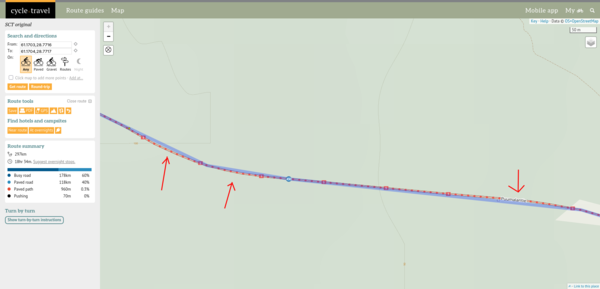
I noticed that this route planner app shortens turns, so after my route is ready, and i upload downloaded gpx file to Biketerra, route does not look "realistic" on map because of these turns are shortened during this gpx creation.
Is there any way to make it more precise, i mean more accuracy to follow turns?
BR. Felttie


Comments
Felttie, a few points:
You might get better input if you share the route of the example above. You can copy and paste the url, having toggled the sunglasses to make it 'public' not private.
Your screenshot appears to be at maximum zoom. Who's to say that any (and it seems very slight) variation from the 'red' route is not down to screen display issues? Is the same 'discrepancy' visible in other map types? (Map types available in the 'hamburger' menu, top right)
There are at least 2 formats of gpx downloads - have you tried both? (Click 'download' on the website, then choose 'More Download Options'.
It appears that Biketerra creates a 'virtual' version of the gpx file. Are you sure it's not a Biketerra issue? Is this a problem across all CT routes or one, specifically? Have you tried the same route in a different planner?