
Become a supporter
Hello!
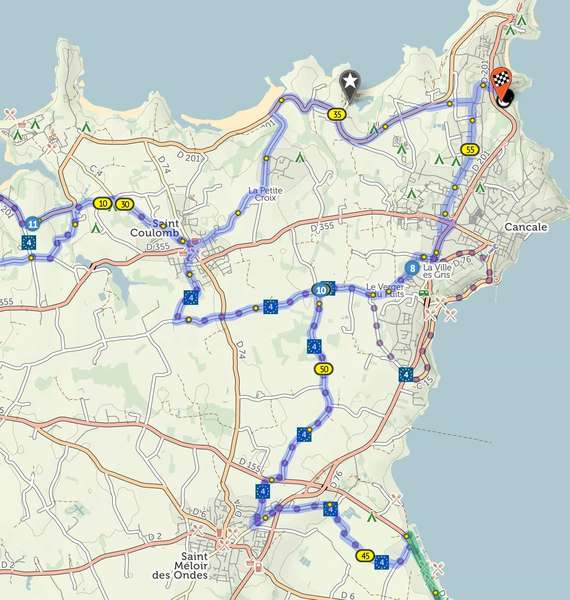
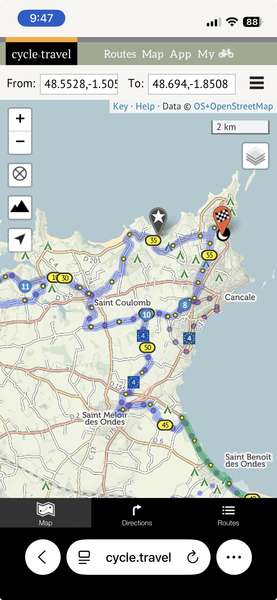
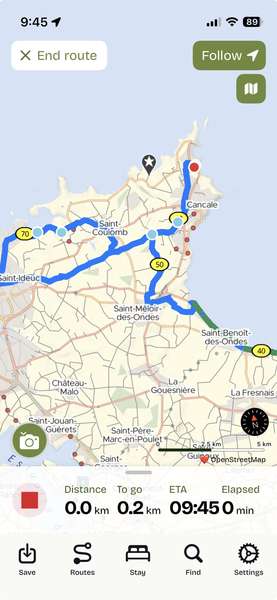
I have been working with a route in Brittany near Cancale. It seems the app always shows a different route than the one I create on the website. I have tried "saving as", duplicating the route, etc, and I alway see a different route on the app. Here are my examples. 1 web version on Chrome/mac. 2. Web version on Safari /iPhone. 3. App version. NOTE: The starred marker is where the part of the route that is missing on the app, but present on the website version.
1. 
2. 
3. 
Thanks for any help... Lorraine
Kudos and thank you for making the markers you set into point icons at larger map scales. It's much prettier, and more usable and still keeps your markers! I had started turning markers off (check box) because they caused the map to be too cluttered sometimes. This app just keeps getting better. Much gratitude and appreciation for your skills and work!
Hi there! Loving the app so much!
I recently created 3 separate routes which intersected, and now I want to convert it to one longer loop route. Is there any way, or workaround, to join up all the routes then continue editing them, or do I need to manually plot out a new route that extends one of the existing ones. Not the end of the world if I have to, but thought I'd see if I have any other options.
Thanks!! This app rocks!
I can't say just how much I LOVE the feature of seeing a map of all the routes from one folder in My Journeys on the website! One thing that could really, really make this more useful is to allow the map to go the full width of the browser. This would allow you to work easily with several routes when planning a long trip of connected routes. Seems like it would be fairly easy to accomplish. I am using the app to plan 6 week trips with multiple long routes in a region. Thanks for considering this request!!


Made in the Cotswolds. Published by Éditions Système D Ltd.
Log in with your cycle.travel account:
| Password |
Or simply use your account on:
